Start without buying anything
There is no terminal or special machine to buy. SwaadBill runs on an Android phone you already have. You log in with your mobile number and a one-time code on WhatsApp, so there is no password to remember.
Put your menu in without typing it all
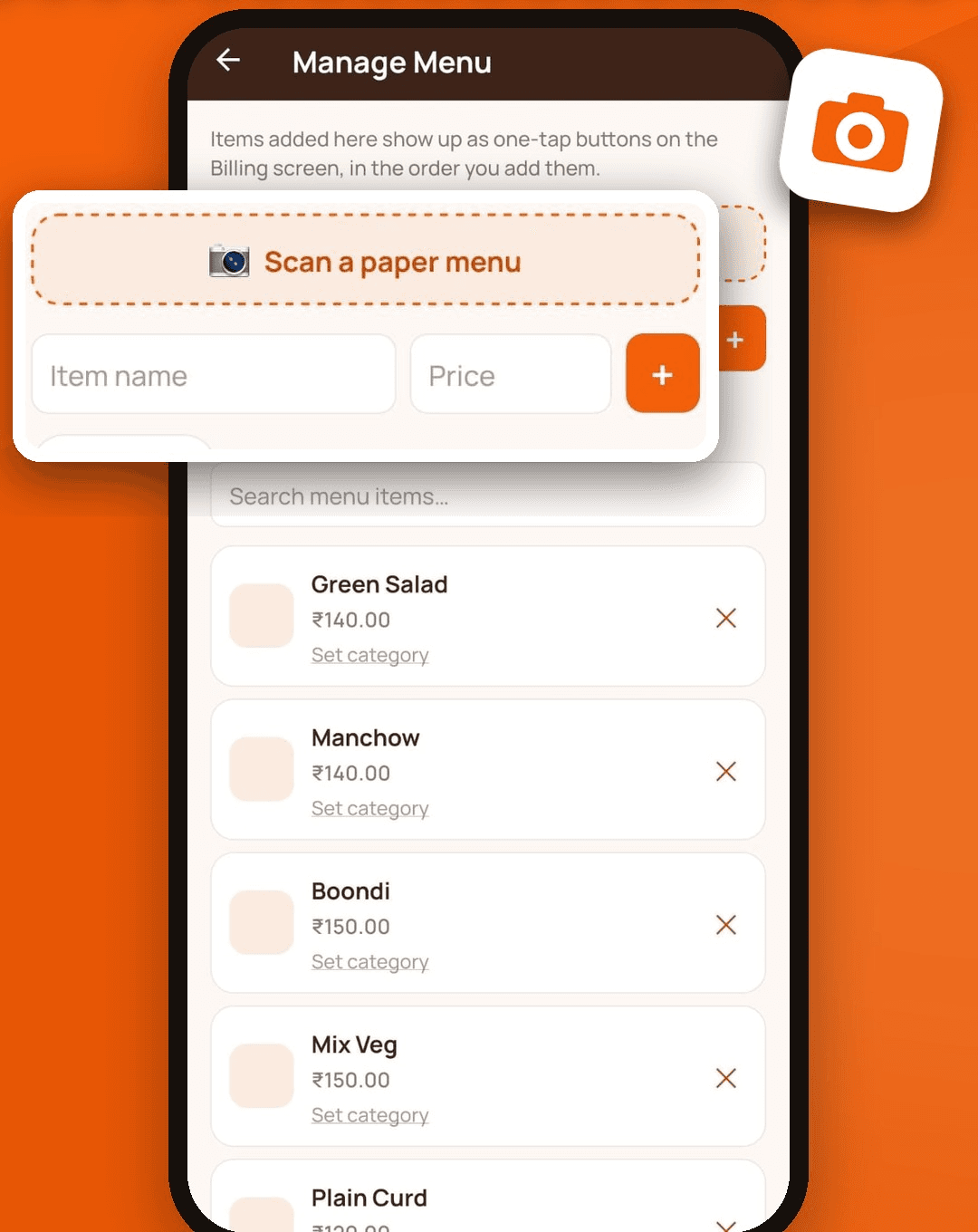
Photograph the menu you already have on the wall or on paper. SwaadBill reads the dish names, prices and sections, and you fix anything that looks wrong before saving. Your dishes then appear as large one-tap buttons, grouped into categories. If you prefer, you can type items in yourself.
Take orders the way you actually work
- Tap the dishes the customer asks for. The total updates as you go.
- Or just say the order in Hindi or English, and the items drop into the bill.
- Send the order to the kitchen as a KOT, so the cook sees it without shouting across the counter.
- Close the bill when the customer pays, and mark cash, UPI or card.
When the network is slow
Tap billing, KOT and your sales report all work without internet. Everything is saved on the phone and sent to the cloud when the signal returns, so a dead zone does not mean a lost bill.
Know the day’s number
The home screen shows today’s sales, number of orders and average bill. At closing time you can see the total, and a sales report by date gives you GST totals and a cash, UPI and card split you can hand to your accountant.
Staff and kitchen
Add one extra number for a biller so staff can take orders without seeing your settings, and one more for a kitchen display that shows pending orders. Each number can be used on one phone at a time, so a lost phone can be signed out by logging in on a new one.
Bring regulars back
Add the customer’s mobile number on the bill and, if they agree, they will receive bills and your offers on WhatsApp. A Tuesday offer to people who came last month costs far less than waiting for walk-ins.