
Why WhatsApp works for a restaurant
Your customers already use WhatsApp every day, so an offer lands where they will actually see it. There is nothing to install and no new account to create. Because the number comes from the bill, the list builds itself while you do your normal work.
How the customer list is built
- You add the customer’s mobile number on the bill.
- A consent box records whether the customer agreed to receive messages from you. It is never ticked for you.
- The customer gets their bill on WhatsApp as a PDF.
- Only customers who agreed are ever included when you send an offer.
Send an offer in one tap
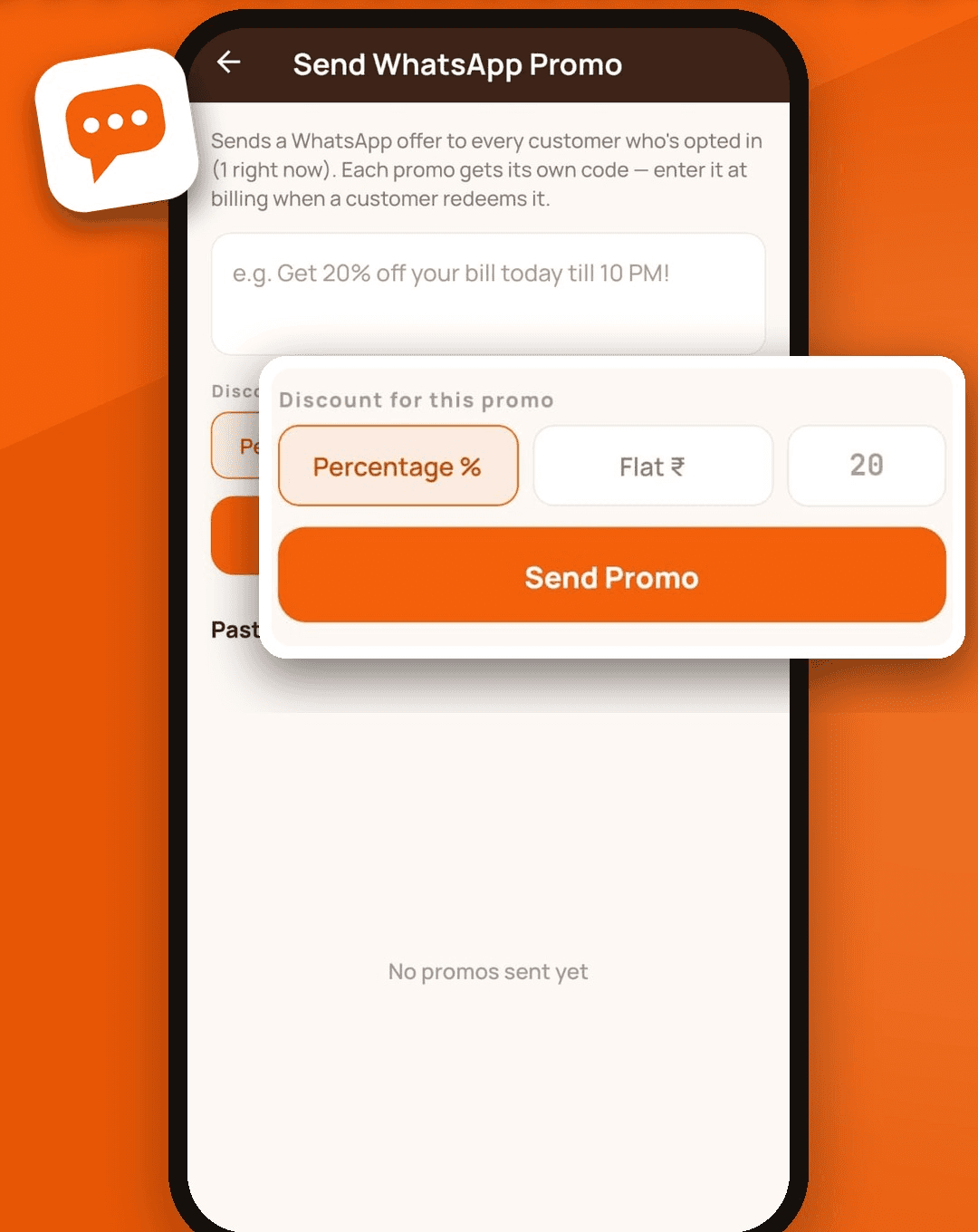
Write the message, choose a percentage or flat-amount discount, and send. Every offer gets its own short code. When the customer comes in, you type the code at billing and the discount is applied to the bill, with GST calculated on the reduced amount.
See what actually worked
For each offer you can see how many messages were sent and how many customers redeemed the code. That tells you whether a Tuesday-lunch offer brought people in, so you can repeat what works and drop what does not.
A nudge when sales dip
SwaadBill compares today’s sales so far with the usual pattern for the same time of day. If sales are well below normal, it alerts you and drafts an offer. Nothing is sent automatically. You read the draft, change it if you like, and tap send yourself.
Offers that restaurants send
- Slow Tuesday? Flat 20% off today till 10 PM, with a code to show at the counter.
- We missed you. Come back this weekend and get ₹100 off.
- New on the menu. Try it this week.
- Thank you for dining with us. Here is your bill.
Rules we follow
- Messages go only to customers who agreed to receive them.
- Offer messages use a template approved by WhatsApp, so they reach customers reliably.
- You stay in control: no offer is sent without you tapping send.
- WhatsApp charges per message, so offers use a prepaid message balance. Ask us for the current rates.