CGST and SGST on every bill
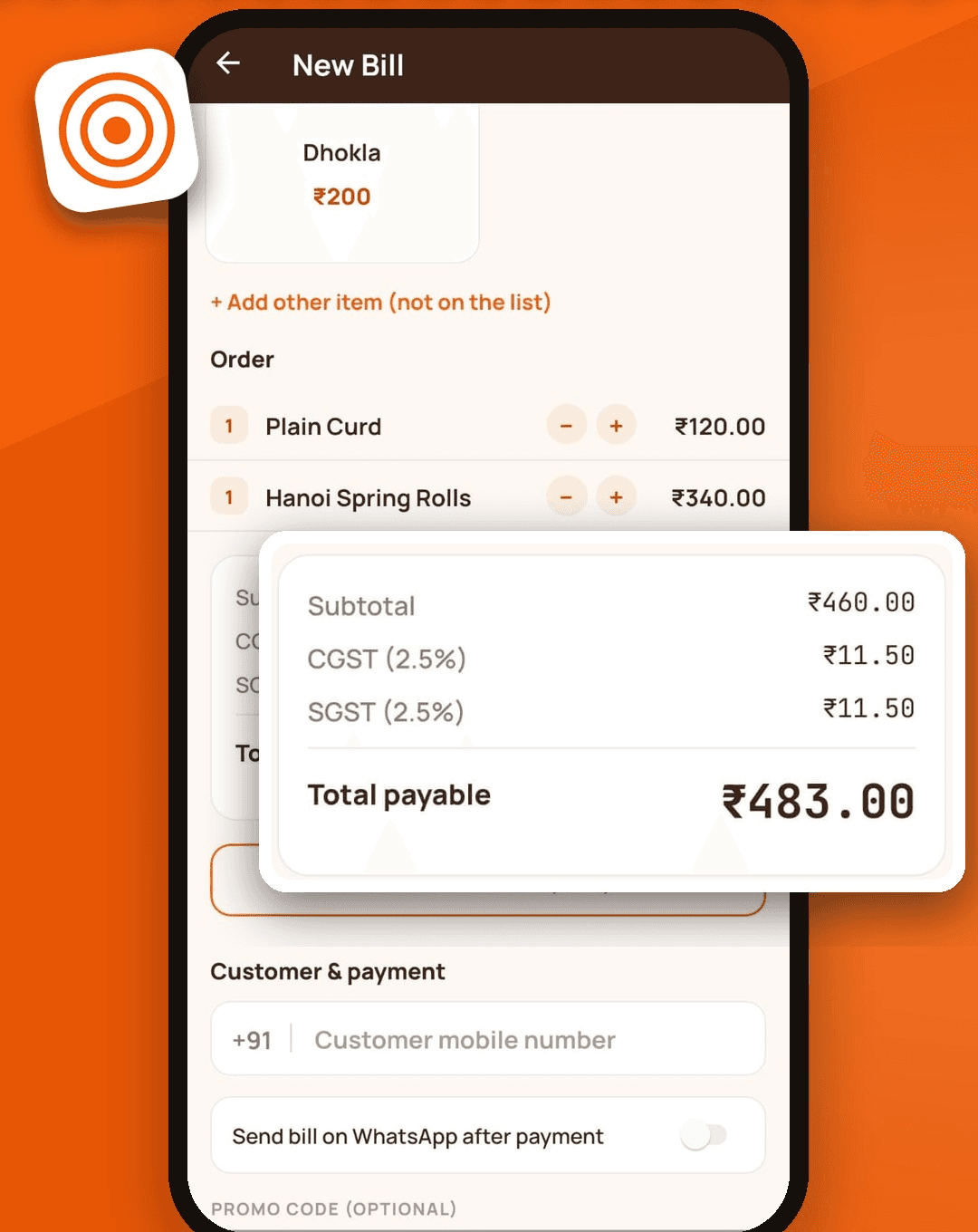
Each bill shows the subtotal, then CGST and SGST as separate lines, then the total payable. The rates are yours to set. The app starts with 2.5% each and you can change them to match your business. If you are not charging GST, you can turn it off completely.
Prices with tax included or added on top
Some restaurants quote prices with GST already inside; others add it at the end. SwaadBill supports both. With tax-inclusive pricing it backs the tax out of the amount, so a ₹100 item still bills at ₹100 and the receipt shows the tax portion separately.
Sequential invoice numbers
A number is given to a bill when it is paid, in running order. A bill that was only sent to the kitchen and never paid does not use a number. If you cancel a paid bill, the bill stays on record with its number and a reason, so your numbering has no gaps.
GSTIN, address and round-off on the receipt
Add your GSTIN and address once in settings and they print on every receipt. The final amount is rounded to the nearest rupee, with the round-off shown as its own line, the way invoices normally show it. Receipts are available as PDFs you can share or send on WhatsApp.
Discounts and offers
When a promo code or an owner discount is applied, the discount is taken off before GST is calculated, and the bill shows the discount as its own line. Only the owner can give a manual discount.
Reports your accountant can use
- Sales report for today or any date range, with bill count, GST collected and total sales.
- A split of sales by cash, UPI and card.
- Every bill as a PDF, and the whole range exported as a PDF.
- A customer list you can export.
What it does not do
SwaadBill does not file GST returns and it does not tell you which tax rate applies to your restaurant. Rates depend on your registration and how you operate, so confirm them with your chartered accountant. What it gives you is accurate bills and clean totals to work from.