What a restaurant billing app should do
Most small restaurants do not need a heavy point-of-sale system. They need to bill quickly, get the tax right, send the kitchen the order, and know at night how much was sold. SwaadBill is built around exactly that counter routine.
You set up your menu once, either by typing items in or by photographing your printed menu. From then on, taking an order is a few taps on large buttons grouped into categories such as Starters, Main Course, Breads and Drinks.
Billing and kitchen orders in a few taps
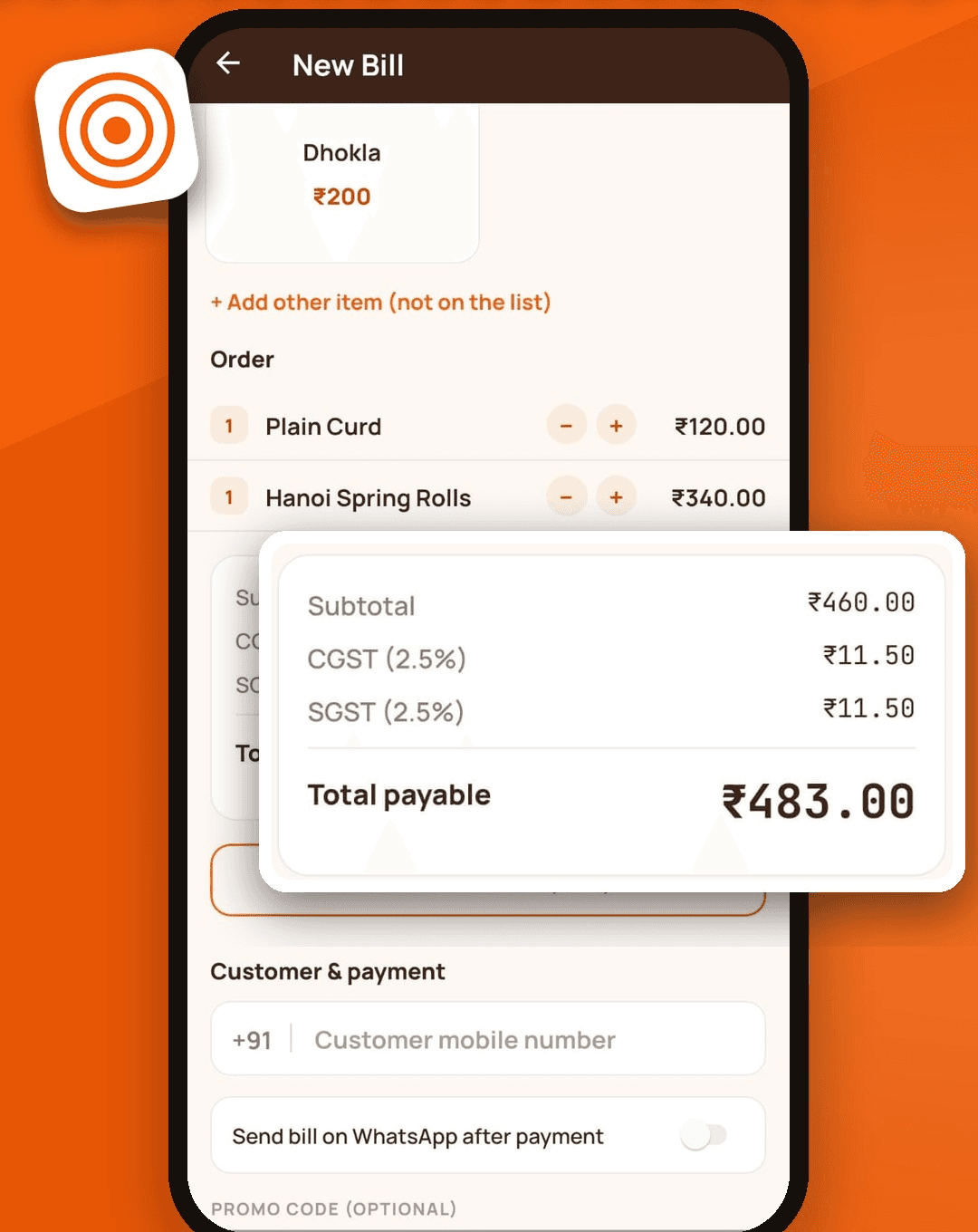
- Tap dishes to add them, change quantities, and see the total payable update as you go.
- Send the order to the kitchen as a KOT and finish the bill later, when the customer is ready to pay.
- Give a staff member a separate login for billing, and a separate login for a kitchen display that shows pending orders.
- Record how the customer paid: cash, UPI or card. For UPI you can show a QR code with the exact amount.
- Cancel a paid bill with a reason. The invoice number stays on record so your numbering has no gaps.
Works when the internet does not
Billing, KOT and reports are stored on the phone first and sync to the cloud when a connection is available. A weak signal at the counter should never stop a sale. Your data is also backed up online, so a lost or replaced phone does not lose your bills.
Voice orders and menu scanning need an internet connection because they use online speech and image reading. Tap billing does not.
GST, invoice numbers and receipts
SwaadBill splits CGST and SGST on every bill, supports prices that already include tax or exclude it, rounds the total, and gives each paid bill a sequential invoice number. You can print your GSTIN and address on the receipt if you have them. See our guide to GST billing for restaurants for the details.
Reports and the daily view
The home screen shows today’s sales, number of orders, average bill and GST. The sales report covers any date range with GST totals and a split by cash, UPI and card, and exports to PDF. You can also search every bill by the customer’s mobile number.
Billing plus WhatsApp marketing
This is where SwaadBill differs from a plain billing app. Each bill can go to the customer on WhatsApp as a PDF, and customers who agree to receive messages can later get an offer from you in one tap. Read how WhatsApp marketing for restaurants works in SwaadBill.
What SwaadBill does not do (yet)
- It is an Android app today. There is no iPhone version yet.
- It does not manage stock or ingredients, and it does not draw table layouts.
- Printing uses the Android print dialog, so it works with printers your phone can print to. It does not talk to Bluetooth thermal printers directly yet.
- It does not file your GST returns. It gives you clean bills and totals to hand to your accountant.